You want fifty Facebook posts written from a spreadsheet and published without you clicking anything. You want comments going out on Instagram posts while you sleep. You want a model writing the words, and you do not want to learn Python to get there.
Most articles about ai automation examples stop at "connect your apps and let AI handle the rest." This one goes the other way. Below are three workflows I have built in Automa, the JavaScript that makes Facebook and Instagram actually accept typed text, the calls to Gemini and OpenRouter, and the five failures that show up once nobody is watching the output.
What Automa Actually Does in These AI Automation Examples
Automa is a free browser extension for Chrome and Firefox that runs a chain of blocks against a live tab: click this, type that, read this element, repeat for every row. It is no-code browser automation — you drag blocks onto a canvas instead of writing a script, and it drives the browser you are already signed into.
Two blocks carry every workflow here. The JavaScript block runs code inside the page, which is how text gets into Facebook and Instagram at all. The HTTP Request block calls any API and hands the response back to the workflow, which is how the writing gets done.
Automa | Python + Playwright | |
|---|---|---|
Runs as | Browser extension, your session | Standalone script, own browser |
Logins | Already signed in | You handle cookies and auth |
Scheduling | Browser must be open | Cron, server, headless |
Best for | 50–500 items, logged-in sites | Thousands of items, unattended |
The scheduling row is the honest limit on publishing work. Automa posts only while your browser is open, so an overnight schedule eventually needs a server — a trade-off covered in Automa's JavaScript block documentation and in the broader browser automation work I take on.
Example 1: Publishing a Facebook Post From the Composer
This workflow reads a row from a Google Sheet, sends it to Gemini, types the result into the real Facebook composer, and clicks Post. No API, no token — the browser does what you would do, faster.
Block sequence:
- Google Sheets block — read
A2:E50intorows - Loop Data block — iterate, skipping rows where the
statuscolumn already saysposted - HTTP Request block — send topic and angle to Gemini
- JavaScript block — clean the text and run the validation gate
- Click block — open the composer,
- Form block — insert,
- Click block — submit
- JavaScript block — confirm the dialog closed, then write
postedback to the sheet - Delay block — 90 seconds before the next row
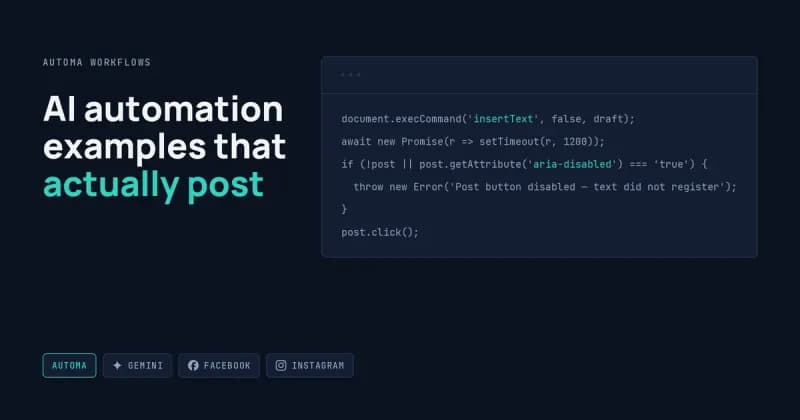
Step 5 is where facebook post automation either works or silently does nothing:
js
// open composer
document.querySelector('div[role="button"][aria-label*="mind"]')?.click();
await new Promise(r => setTimeout(r, 2500));

const box = document.querySelector(
  'div[role="dialog"] div[role="textbox"][contenteditable="true"]'
);
if (!box) throw new Error('Composer never opened');

box.focus();
document.execCommand('insertText', false, draft);   // registers with the editor
await new Promise(r => setTimeout(r, 1200));

const post = document.querySelector('div[role="dialog"] div[role="button"][aria-label="Post"]');
if (!post || post.getAttribute('aria-disabled') === 'true') {
  throw new Error('Post button disabled — text did not register');
}
post.click();
The composer is a contenteditable rich-text editor, not a text field. Automa's Forms block types into it and nothing lands, because the editor listens for input events the Forms block does not produce. execCommand('insertText') is the call that works, and the aria-disabled check is what stops the workflow from clicking a dead Post button forty-nine more times.
Example 2: Instagram Comments Written by OpenRouter
This one opens a post, reads the caption so the comment refers to something real, generates text through OpenRouter, types it into the comment box, and submits. Instagram's own API cannot comment on posts you do not own, so the browser is the only route, and that route carries account risk covered further down.
OpenRouter is a single endpoint in front of many models, so you can switch from Claude to Gemini to Llama by changing one string. instagram comment automation through it looks like this:
js
const res = await fetch('https://openrouter.ai/api/v1/chat/completions', {
  method: 'POST',
  headers: { Authorization: `Bearer ${KEY}`, 'Content-Type': 'application/json' },
  body: JSON.stringify({
    model: 'google/gemini-2.5-flash',
    max_tokens: 60,
    messages: [{ role: 'user', content:
      `Write one Instagram comment under 15 words about this caption. ` +
      `No compliments, no questions, no emoji.\n\n${caption}` }]
  })
});
const data = await res.json();
const choice = data.choices?.[0];
if (choice?.finish_reason !== 'stop') throw new Error('Bad generation, not posting');
Typing it in needs the same care as Facebook, for a different reason. The comment box is a React-controlled textarea, and setting .value directly leaves React unaware, so the Post button stays greyed out:
js
const box = document.querySelector('textarea[aria-label*="comment"]');
const setter = Object.getOwnPropertyDescriptor(HTMLTextAreaElement.prototype, 'value').set;
setter.call(box, comment);                              // bypasses React's shadowing
box.dispatchEvent(new Event('input', { bubbles: true })); // now React sees it
The endpoint shape is documented in OpenRouter's chat completion API reference.
Example 3: Wiring Gemini Into an Automa Workflow
Gemini api automation in Automa is one POST — no SDK, no build step. A key from Google AI Studio goes to the generateContent endpoint and the text comes back as JSON.
js
const res = await fetch(
  'https://generativelanguage.googleapis.com/v1beta/models/gemini-2.5-flash:generateContent',
  {
    method: 'POST',
    headers: { 'Content-Type': 'application/json', 'x-goog-api-key': KEY },
    body: JSON.stringify({
      contents: [{ parts: [{ text: prompt }] }],
      generationConfig: { temperature: 0.4, maxOutputTokens: 400 }
    })
  }
);
const out = (await res.json()).candidates?.[0];
if (out?.finishReason !== 'STOP') throw new Error('Truncated, not publishing');
const draft = out.content.parts[0].text.replace(/^```[\s\S]*?\n|```$/g, '').trim();
Temperature near 0.4 keeps output steady enough that your cleanup regex keeps working. The finishReason check is not optional when nothing gets reviewed — it is the difference between a post and half a post. The response shape is in Google's Gemini API text generation guide.
Where These Workflows Break
UI automation that publishes has no safety net. Every failure below has happened to me.
The button stays disabled and the loop runs on
Text that does not register leaves the Post button dead. Without the aria-disabled check the workflow clicks nothing, marks nothing, and moves to the next row — fifty rows later you have zero posts and no error. Throw on the disabled state and stop the run.
The same post goes out twice
There is no post ID coming back from a click, so the sheet is your only record. I confirm the composer dialog has closed before writing posted to the row, and skip any row already marked. Confirm-then-write, never write-then-hope.
English aria-labels break on every other language
Targeting aria-label="Post" works until the account is set to Urdu or Spanish, where the label is a different word entirely. I pull labels from a config variable per account language, or target by dialog position when the label is unreliable.
Instagram issues an action block
Commenting at machine speed triggers spam detection: "Action Blocked" or "Try Again Later," landing on the account rather than the workflow, and escalating on repeat. Delay blocks and human-level daily volume reduce the risk. Nothing removes it.
OpenRouter returns 402 or silently routes elsewhere
Credits run out and the endpoint returns 402, or a provider is down and your request falls through to a different model with a different voice. Check res.ok and read data.model on the response so a quiet substitution does not publish in a tone the client never approved.
One thing that is not a bug: whether you may automate posting or commenting on a platform is your decision, not mine. Meta's Platform Terms and each site's robots.txt rules as documented by Google Search Central are yours to read. I build the technical workflow.
Frequently Asked Questions
Why does typing into Facebook or Instagram do nothing?
Both use rich editors that ignore plain value assignment. Facebook's composer is a contenteditable div needing execCommand('insertText'), and Instagram's comment box is React-controlled, needing the native value setter plus a dispatched input event. Without those, the field looks filled but the submit button stays disabled.
Can Automa post while my computer is off?
No. Automa lives in your browser, so the machine and browser have to be awake and the tab reachable. For genuinely unattended scheduling I rebuild the same logic in Python with Playwright on a server, which is a different service line at a different price.
Why OpenRouter for Instagram and Gemini for Facebook?
Mostly flexibility. OpenRouter fronts many models behind one endpoint, so short comment prompts can be swapped between providers by changing a string. Gemini direct is cheaper per call at volume for the longer post drafts. Either tool can do either job.
Will automated Instagram comments get the account restricted?
They can. Meta detects fast repetitive engagement and responds with action blocks that escalate. Pacing the loop, varying comment length, and staying at human daily volumes lowers the odds. I will not tell you the risk is zero, because it is not.
What stops a bad generation from publishing?
A validation gate before the click: minimum and maximum length, finish_reason must be normal, no markdown fences, no leftover preamble, and a client phrase blocklist. Failing rows write an error to the sheet and skip. A kill switch cell stops the next iteration entirely.
Want One of These Built?
Send me the sheet, the Page, and the accounts you want commented on. I will build the Automa workflow, the insert-and-submit JavaScript that Facebook and Instagram actually accept, and the validation gate that stops bad output going public. Start on my hire me page for custom automation work.