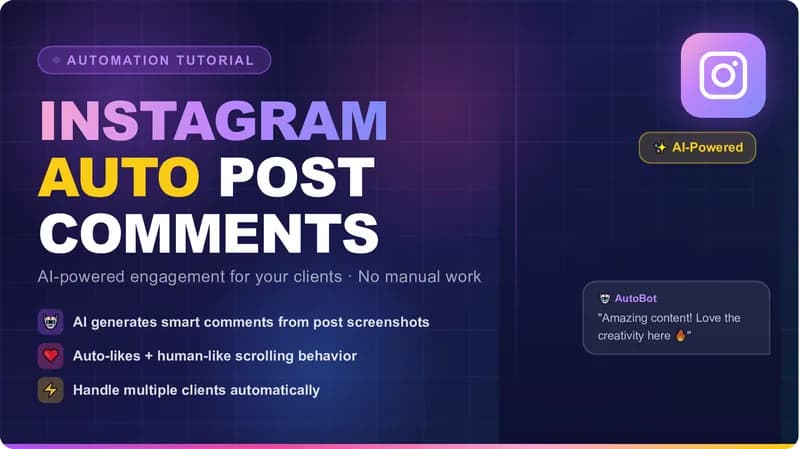
I built a workflow to automate Instagram engagement across a list of client accounts. It opens a profile, scrolls, opens a post, captures a screenshot, sends that screenshot to an AI model, writes a comment based on what is actually in the image, posts it, likes the post, and moves to the next profile. It runs in Automa, a browser extension rather than a script on a server. Below is a recording of a live run, then what the workflow does, how it is put together, and the part most write-ups skip: where the risk sits and who carries it.
Why Manual Instagram Engagement Stops Scaling
If you run social media for other people, daily engagement is part of what you are selling. Liking posts, leaving comments that read like a person wrote them, and visiting the profiles of followers and competitors builds visibility, encourages people to engage back, and keeps a client visible inside their niche.
The problem is arithmetic. Doing that by hand across dozens of accounts, every day, is not realistic. It eats the hours that should go to strategy, content, and client calls. Agencies usually solve it by putting a junior on the clicking, which is expensive and inconsistent, or by quietly skipping days, which clients notice.
That gap is what an automated workflow fills. It is also where most of the tooling on the market is bad, because it posts generic comments that announce themselves as a bot.
What the Automa Workflow Actually Does
Automa is a no-code browser extension for Chrome and Firefox. You build an automation by connecting blocks on a canvas — click this element, scroll here, take a screenshot, send this request — instead of writing code. It drives the browser the way a person would rather than calling an API behind the scenes.
Mine follows a fixed sequence.
Visit the profile and scroll
The run starts on a target profile from the client's interaction list and scrolls the feed rather than jumping straight to a post URL. Loading content the way the page expects means the elements the next blocks need are actually rendered by the time they run.
Move between pages instead of hammering one target
Between actions the workflow clicks around and navigates between profiles rather than firing at a single target in a tight loop, with delay blocks spacing things out. Pacing a browser session is ordinary automation hygiene. I will come back to what that does and does not accomplish.
Open a post and capture a screenshot
Once the workflow lands on a relevant post, a screenshot block captures it. Not the caption text — the rendered image. That screenshot is the input for the next step, and it is the part that makes the difference.
Generate the comment, post it, and like
The screenshot goes to an AI model, which returns a comment based on the content of the image. A forms block types that comment into the comment box, and a click block posts it and likes the post. Commenting and liking together is a stronger signal than either alone, so the post owner and their followers are more likely to see it and respond.
Move to the next profile
A loop block walks the rest of the list, repeating the whole cycle — scroll, view, capture, comment, like — across every account the client wants covered.
How AI Generated Instagram Comments Are Written
This is the piece worth paying for. Most engagement tools work from a list of canned strings, so the account ends up leaving "Nice post" under a photo of a spreadsheet. Anyone reading the comment section can tell.
Because the workflow sends the rendered screenshot to a vision-capable model — a model that takes an image as input rather than text alone — the comment can reference what is in the picture. A gym post gets a comment about the lift. A product shot gets a comment about the product. The prompt sets the client's tone, the length, whether emoji are allowed, and a list of things never to say.
I keep the model's output on a short leash. Length caps, banned phrases, no questions the client cannot answer, no claims about the client's own business. For a client who wants control, I split the workflow in two: one run drafts everything and writes it to a sheet, a human approves or rejects in the morning, and a second run posts only what was approved. That trades some speed for the ability to catch a comment you would not want under your client's name.
Show Image
The Blocks I Use to Automate Instagram Engagement
The whole thing lives in the Automa extension documentation's block system. New tab, scroll element, click element, delay, take screenshot, HTTP request, forms, loop data, and a trigger block for scheduling. The AI step is an HTTP request block posting the screenshot to a vision model's API, with a small JavaScript block pulling the comment text out of the JSON that comes back.
Two things follow from it being an extension rather than a server script. It runs in the client's own browser on their own logged-in session, so there is no separate login to manage and they can watch it work. And the finished workflow exports as a JSON file they import into their own Automa install, so they own it after handover instead of renting it from me.
Selectors are the fragile part. Instagram ships class names that change without notice, so I anchor on structure and accessible labels wherever possible. When a run breaks, it usually breaks loudly: the workflow log stops on the block that could not find its element, and that block needs a new selector. I build that expectation into every engagement, because anything that touches someone else's front end needs maintenance, and any developer who tells you otherwise is selling you something.
Results go somewhere you can read them — a CSV or a Google Sheet with one row per action: profile, post, comment text, timestamp, result. The trigger block runs the workflow on a schedule so nobody has to remember to start it. That reporting layer is what turns a workflow into something an agency can hand a client, and it is the same storage and scheduling work I do across <a href="/automation">the browser automation work I take on</a>.
Show Image
Where the Risk Sits, and Who Decides
Here is the part I will not soften. Instagram's Terms of Use and Instagram's Community Guidelines restrict automated engagement. Running a workflow like this can result in action against the account, up to and including restrictions and bans.
Pacing a session, varying navigation, and spreading actions over hours are all sensible engineering. None of it makes automated engagement permitted, and I am not going to tell you it makes a workflow undetectable, because I have no way to know that and neither does anyone selling you the opposite claim. Platform detection is not a fixed target.
So the decision is the client's, not mine. Read the terms, decide what you are willing to risk, and tell whoever owns the account what you are running before you run it. If the account matters, the honest approach is a mix: automation for the volume, a human for anything that carries weight. If the risk is unacceptable, Meta's official Instagram Platform API is the sanctioned route, with the narrower capabilities that implies.
What Building One Involves
To scope a build I need the account list, the tone the comments should hit, how many actions per account per day you want, and whether you want the review step or fully unattended posting. From there I can tell you what is feasible.
Delivery is the Automa workflow file, a variables sheet you can edit without opening the canvas, the log output, and a walkthrough of how to run it and what to do when a selector breaks. Everything goes through Fiverr. If you want a sense of how I work first, there is a page on who I am and how I work, and my other automation write-ups cover similar builds. When you are ready to scope something, hire me for a custom build.
Automation of this kind buys back hours and keeps engagement consistent across a client list that has outgrown manual work. It also puts someone else's account on the line. Go in knowing both.