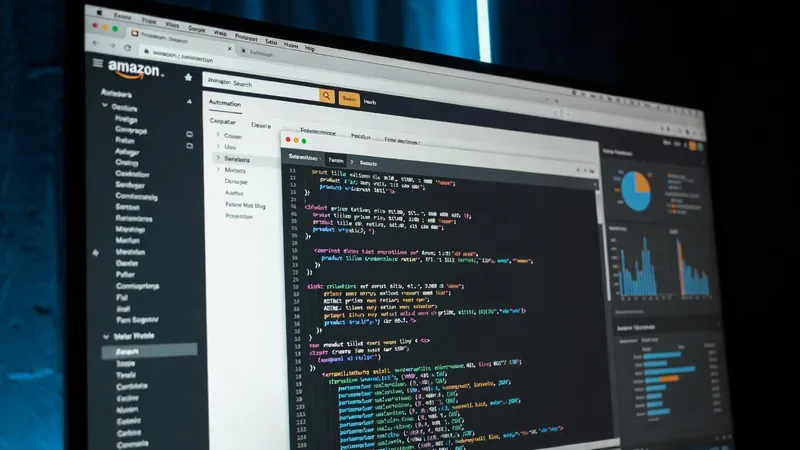
What an Amazon Product Scraper Actually Does
When a client hires me to build an amazon product scraper, they rarely want a script that grabs just the title and price. They want pricing intelligence, competitor tracking, or a clean feed of product data they can act on without opening a browser. A single Amazon search results page carries more than twenty usable fields per product, and pulling all of it reliably is the actual job.
For every product card, the scraper I build extracts:
- ASIN — Amazon's unique product identifier, the key you need for any downstream lookup
- Title, in both the full and a cleaned short version
- Brand, parsed from the card or inferred from the title when it's missing
- Current price, list price, and the discount percentage between them
- Star rating, review count, and the "X+ bought in past month" badge
- Best Seller, Amazon's Choice, and other badge types
- Whether the listing is sponsored (a boolean flag)
- Prime eligibility, delivery date, delivery cost, and ships-to location
- A clean product URL and every associated image URL, including high-resolution variants
- Variant counts (color, size, pattern options) and the seller attribution
On a single page of 48–60 results, that's a dense, structured dataset in seconds — not a spreadsheet you build by hand.
The Three Pieces I Always Build Separately
I split every scraper like this into three components with one job each, because Amazon changes its page layout regularly and you don't want a layout change to break your pagination logic too.
Parsing the HTML
python main.py --local page.html
Price extraction is the trickiest part of parsing Amazon pages, because the price is split across three separate <span> elements — one for the currency symbol, one for the whole number, one for the decimal fraction. I assemble them in sequence rather than trusting the full formatted price string, which is often missing from the raw DOM.
For star ratings, I read the aria-label attribute on the rating element instead of the visible star graphic. The WAI-ARIA specification requires that label to carry the numeric value in a consistent format like "4.3 out of 5 stars," which is far easier to parse than a row of star icons.
Driving the Browser
The browser layer wraps Selenium and handles page loading plus two adjustments that reduce how obviously automated the browser looks:
driver.execute_cdp_cmd(
    "Page.addScriptToEvaluateOnNewDocument",
    {"source": "Object.defineProperty(navigator, 'webdriver', {get: () => undefined})"}
)
Chrome sets navigator.webdriver to true whenever it's launched by an automation tool, and a lot of basic detection systems check that flag. This snippet overrides it. I also exclude the enable-automation switch that Chrome adds by default, and after each page loads, I scroll to the middle and bottom before harvesting the HTML, since Amazon lazy-loads product images and their URLs don't exist in the DOM until the element scrolls into view.
Orchestrating the Run
The top-level class ties parsing and browsing together. It finds the "Next" button's link after each page, follows it, and accumulates products into one flat list — tagging each one with its page number and its position in the overall result set, so you always know exactly where it ranked.
Three Ways to Run It
I build in three input modes, because clients need different things at different stages:
- Local mode parses a saved HTML file with no browser and no rate limiting — the fastest way to test and adjust extraction logic.
- Keyword mode launches the browser, builds the Amazon search URL from a keyword, and walks every page automatically up to a page limit you set.
- URL mode does the same thing starting from a specific Amazon search URL — useful for a particular category, an applied filter, or a non-US Amazon domain.
python main.py --keyword "hair dryer" --pages 3 --headless false
What You Get Back
Every run produces three files, timestamped so repeat scrapes never overwrite each other: a full JSON payload with all nested fields intact, a flattened CSV ready for Excel or pandas, and a plain-text summary table for a quick sanity check without opening a spreadsheet.
A Note on Terms of Service
Amazon's Terms of Service prohibit automated scraping of its pages. I'm not going to tell you that scraping Amazon is legal, because that's not my call to make — it's yours, based on your use case, your risk tolerance, and your own read of Amazon's terms and its robots.txt file. What I can tell you is what the technical approach looks like, and that for production use cases, Amazon's own Product Advertising API is worth checking first, since it's the sanctioned path for programmatic product data. When a scraper is the right tool, I build in a configurable delay between page loads specifically so it doesn't hammer the site.
What This Data Gets Used For
Clients who commission an amazon product scraper from me are usually building one of a few things: a price-tracking dashboard that watches how a category shifts over time, a competitor analysis tool that follows ranking changes for specific brands or ASINs, a review-count monitor that flags products gaining social proof quickly, a product research feed that surfaces high-rating, high-discount items, or a labeled dataset for training a recommendation or NLP model.
Hiring Me to Build One
I build custom scrapers like this with Selenium and BeautifulSoup for clients who need Amazon product data flowing somewhere they can use it — not a one-off script, but something that runs on a schedule and lands clean in a spreadsheet, a database, or a dashboard. If you want a scraper built around your exact fields and output format, you can commission a custom scraper directly. I also handle the rest of the pipeline — data cleaning, storage in CSV, SQLite, PostgreSQL, Google Sheets, or Airtable, and scheduling through REST or webhook triggers — so the data shows up where you need it without manual exports. For a broader look at what I automate beyond Amazon, see my browser automation services or breakdowns of other automation projects. If you want details on how I work with clients before reaching out, that's there too.