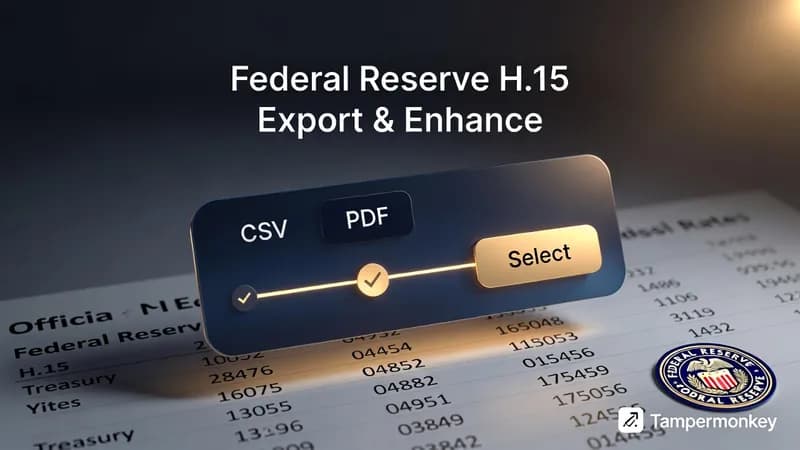
The Federal Reserve publishes the H.15 Selected Interest Rates release on a page that renders a clean HTML table and gives you no way to get it off the screen. No export button, no download link, no CSV. I wrote a free Tampermonkey userscript that fixes exactly that. It adds a Federal Reserve H.15 CSV export button, a PDF export, and a row-and-column picker directly to the release page, and it installs in about a minute.
Install the H.15 Export and Enhance userscript
Why you can't download H.15 interest rate data from the page
The data itself is not the problem. The Federal Reserve's H.15 Selected Interest Rates release is one of the better-maintained rate sources you can get for free: Treasury yields across multiple maturities, federal funds rates, commercial paper rates, bank prime loans, corporate bond yields, mortgage rates, all published on a consistent schedule by the Fed itself.
The problem is the delivery. The release page presents everything as an HTML table. It looks fine on screen. The moment you try to do something with it — import it into Excel, run it through a Python script, drop it into a report, compare it against last quarter in a database — you hit a wall. There is no export control anywhere on that page.
For a one-time lookup, copying by hand is annoying and survivable. If you touch this data weekly — tracking rate movements, updating a model, refreshing a dashboard, watching the yield curve — it becomes a recurring tax that adds up to real hours over a few months.
Show Image
What the H.15 Tampermonkey userscript adds
A userscript is a small piece of JavaScript that a browser extension injects into a specific page. It runs on your machine, on a page you've already loaded, and it changes what that page can do for you.
This one adds a floating toolbar to the H.15 release. It doesn't rewrite the page or hide anything — the original table and every figure in it stay exactly where they were. The toolbar sits alongside, appears automatically when you land on the release, and needs no configuration after install.
CSV export
This is the feature that matters most if you do quantitative work. One click and the full H.15 table downloads as a CSV: column headers intact, fields correctly separated, rows in the order they appear on the page.
From there it goes wherever you already work. Open it in Excel or Google Sheets for a quick chart. Read it into pandas for anything more involved. Push it into a table for historical tracking. Join it against other series for multivariable modeling. CSV is the universal doorway into data tooling, and having H.15 in that format means it drops straight into whatever you already use.
PDF export for reports
The PDF serves a different job. CSV is for analysis; the H.15 PDF report is for communication — handing figures to a colleague, attaching rates to a client deliverable, or archiving a snapshot of where things stood on a given date.
The exported file uses a print-ready table layout and a cover page carrying the release date and source attribution. That cover page sounds like a small thing. In practice it kills the two questions every reader of a rates table asks, which are where did this come from and when was it pulled.
Row and column selection
The full export grabs everything on the page. Often you don't want everything. If you're tracking Treasury yields and have no use for commercial paper rates, the selection mode lets you pick exactly the rows and columns you want and export only that slice.
Anyone who has imported a wide financial table into Excel and then spent twenty minutes deleting columns they didn't ask for knows what that saves across a regular workflow.
Text selection on a page that blocks it
The H.15 release restricts text selection by default, so copying a single figure for a quick calculation means fighting the page. The script turns selection back on. You can highlight and copy an individual cell, a row, or any part of the table normally.
Federal Reserve H.15 CSV export compared with FRED
Worth being straight about this, because anyone who works with Fed data will ask.
FRED, the St. Louis Fed's data portal carries most H.15 series and has proper download and API access. If you want one series as a long time series — the 10-year Treasury constant maturity going back thirty years, say — FRED is the better tool and I'd use it myself.
The userscript wins on a narrower job: getting the H.15 table as published on the release page, all instruments and all maturities together, in one click, without picking series IDs one at a time or reassembling a cross-section from several downloads. It also produces the PDF, which FRED doesn't. If your work is cross-sectional — what did the whole curve look like on this date — the release page is the natural view, and the script exports that view directly.
Use whichever fits. They're not competing for the same task.
Getting Federal Reserve data into Excel, Python, and reports
The release covers a wide enough range of instruments that the export is useful across some very different jobs.
Analysts and economists
If you track rate movements as part of the day job — monitoring curve changes, modeling rate expectations, watching spreads between instruments — you need this in structured form on a schedule. One-click export turns a spreadsheet refresh from a several-minute chore into a few seconds.
Researchers and academics
Anyone studying monetary policy, credit markets, financial history, or macro dynamics needs H.15 for empirical work. CSV feeds straight into R, Python, Stata, and MATLAB with no custom collection code standing in the way.
Data journalists and financial writers
Covering a rate decision or a credit market story means pulling accurate figures fast. Getting the latest H.15 numbers into a sheet or a chart in seconds is the difference between data that carries a story and data that delays one.
Excel and Python users
Financial modeling, back-testing, and visualization work that touches interest rates all benefit. The release covers enough instruments to be relevant across most modeling contexts, and reliable Federal Reserve data in Excel or pandas without a scraping step is worth the install on its own.
Students and instructors
Finance and economics coursework leans on Fed data constantly. The export makes it practical to work with real, current figures without needing the technical skills to extract them.
Installing the userscript
Three steps, no account, no API key.
- Install Tampermonkey or Violentmonkey from your browser's extension store. Both are free and both work on Chrome, Firefox, and Edge.
- Open the H.15 Export and Enhance script. The extension intercepts it and shows an install screen listing what the script does and which pages it runs on. Read that screen — you should do this for every userscript you install, mine included — then confirm.
- Visit the H.15 release. The toolbar appears on its own.
If Chrome asks you to switch on developer mode for extensions, that's a Chrome requirement for userscript managers generally, not something specific to this script.
What happens when the Fed changes the page
It breaks. Eventually, they all do.
A userscript reads the page's HTML structure to find the table. When the Fed reorganizes its markup, the toolbar either stops appearing or exports something malformed. That's the honest trade you accept with any browser-side automation, and I'd rather say it up front than have you discover it during a deadline. When it happens, the fix is a selector update, not a rebuild.
The same reasoning applies to what the script does and doesn't touch. It reads the table already rendered in your browser and builds the file locally. What the Federal Reserve's terms of use permit for your particular purpose is your call to make, not mine — I can tell you how the technical piece works, and that's where my part ends.
Questions I get about this script
Is it free?
Yes. No account, no key, no paid tier.
Which browsers does it work on?
Anywhere Tampermonkey or Violentmonkey runs, which covers Chrome, Firefox, and Edge.
Can I get the same thing for a different site?
That's most of what I do. The H.15 script is one instance of a general pattern — a site publishes data in a table, offers no export, and someone needs it in CSV every week. Building that for a specific site is a small, well-defined job: a userscript, a Chrome extension, a Playwright bot, or a scheduled pipeline that writes into Sheets, Airtable, or Postgres, depending on how often you need it and where it has to land.
If you have a page like that, hire me for a custom build or read up on the browser automation work I take on. You can also look through other DatafetchPro build notes, find out who's behind DatafetchPro, or start from the DatafetchPro homepage.