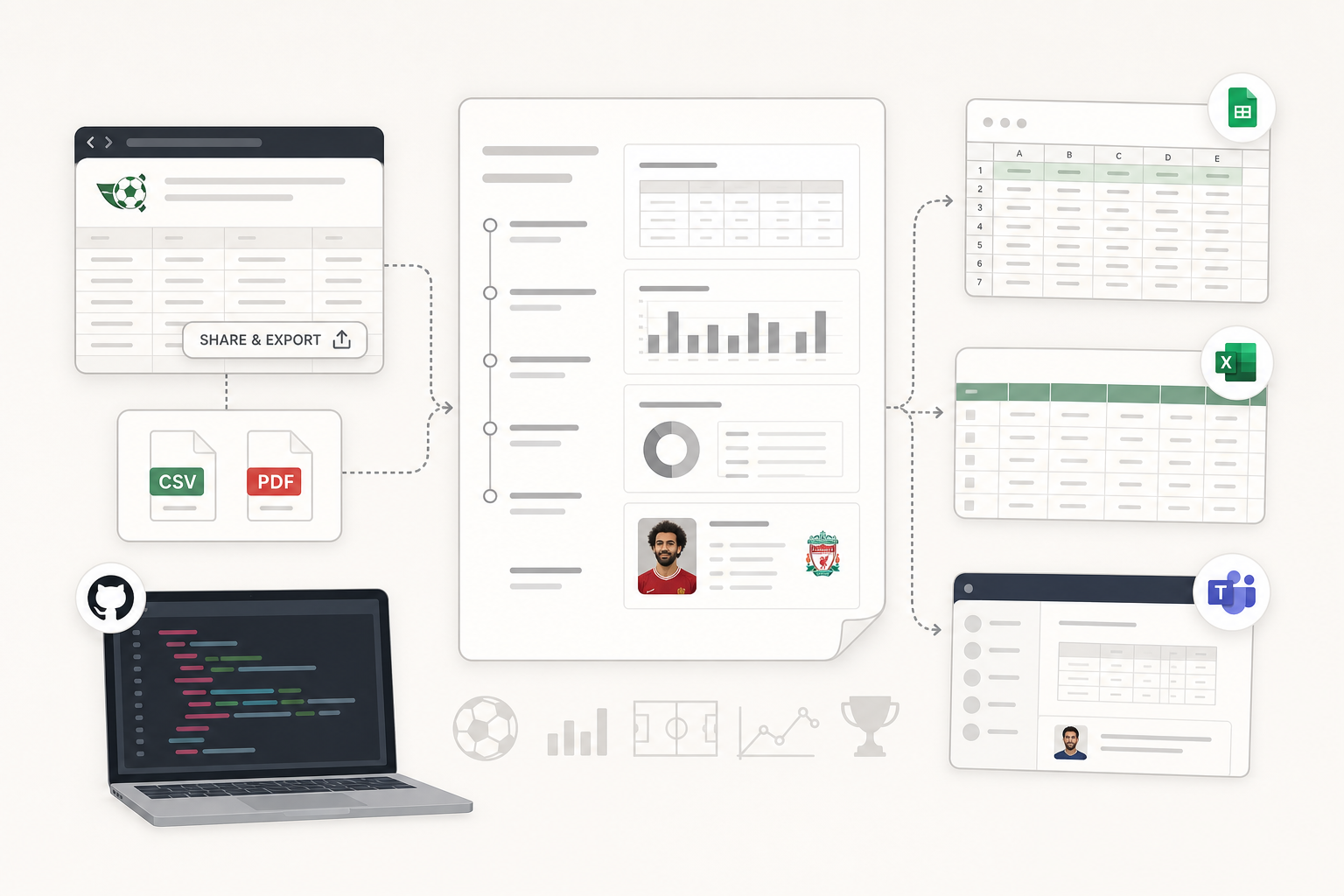
FBref holds more than 25 years of football statistics, including advanced metrics like expected goals and expected assists. Getting a usable file out of it is the hard part. Most people trying to export FBref data end up doing one of three things: pasting tables into Google Sheets and losing an hour to Text to Columns, writing Python, or downloading a scraper from GitHub and meeting the command line for the first time.
I build scrapers and browser bots for a living, and this is the request football analysts send me more than any other. So I wrote a userscript — a small piece of JavaScript that your browser runs automatically on one specific site — that turns any FBref table into a formatted PDF or a clean CSV in a single click. It runs on your machine, it keeps the player photos, and the download link is further down this page.
Why the native FBref export falls short
The problem is not the FBref statistics database itself. The data is excellent. The problem is that the export tools were built to hand you one table, and almost nobody needs one table.
One table per download
FBref has a "Share & Export" button. Click it and you get a CSV — a comma-separated text file that spreadsheets can open. That CSV contains a single table. One league standings table. One player's shooting stats. If your report needs the passing table, the possession table and the defensive table for four teams, you are downloading twelve files and stitching them together by hand in a spreadsheet.
Multi-page reports are effectively out of reach. Exporting each table separately and pasting them into one document is not exporting. It is data-entry work with extra steps.
Images do not survive
Player headshots, club badges, anything visual — the native FBref CSV export drops all of it, because a CSV is plain text and cannot hold an image. Printing the page to PDF from your browser loses them too, along with the table layout.
The Google Sheets workaround and what it costs you
The standard workaround has been the same for years: download the FBref CSV, paste it into a sheet, then use Text to Columns to split it into proper columns.
The full sequence runs like this. FBref CSV, into Google Sheets, select the column, Data menu, Text to Columns, choose delimited, tick comma, finish. Then rename the headers by hand, because the exported ones are abbreviated to the point of ambiguity — goals next to goals_p90, assists next to xA. Then format the table. Then add your own headings. Then send it.
For one league table that is roughly five minutes. For a full-season review across several squads it runs past an hour, and what you have at the end is still a raw grid of numbers rather than a report anyone would want to read.
Why writing your own scraper is a bigger job than it looks
If you can code, there is a cleaner path. R users have the worldfootballR package documentation to work from; Python users typically reach for BeautifulSoup and write their own parser. Either route can pull all twenty-plus stat tables from a page in bulk, on a schedule, unattended. When a client needs that, it is what I build.
But the prerequisites are real. You need the language, plus an understanding of HTML structure, table selectors, and User-Agent headers — the line of text your browser sends with every request to identify itself, which servers use to spot automated traffic. For an analyst who does not code, that is a months-long detour to solve a task that should take thirty seconds.
Ready-made scrapers on GitHub do the heavy lifting, and some are genuinely good. They are also command-line tools. Installing one means installing its dependencies, following a README, and hoping your Python environment cooperates. For most people that barrier is the end of the road.
Rate limits are the real constraint
The detail that catches out most first-time scrapers is not parsing — it is speed. Sports Reference publishes a bot traffic policy setting out how aggressively automated requests may hit their servers before being blocked. Any script that loops through pages without pauses will trip it, and the block lands on your IP address, not just your script.
A userscript sidesteps this by design. It only ever works on the page already open in front of you, at the speed a human clicks. You are not crawling anything.
What happens when you export FBref data with the userscript
The script sits between the tedious manual route and the coding route. Here is what it produces.
A PDF with a clickable contents page
Select your tables, click Export to PDF, and it generates a multi-page document with consistent typography, headers, footers and page numbers.
It also builds a table of contents — a linked index at the front — automatically. Click an entry and jump straight to that section. The structure nests: league, then team, then player, then stat category. Those links work in Adobe Reader, macOS Preview, and in-browser PDF viewers. On a fifty-page squad report that is the difference between a usable document and endless scrolling.
CSV that opens clean
When you want a spreadsheet instead, the CSV output is properly delimited, the headers are spelled out rather than abbreviated, and several tables are consolidated into one organised file. No Text to Columns step.
Player photos and club badges survive
Headshots and logos are embedded directly in the PDF. That matters for scouting documents where recognising a face is faster than reading a name, for fantasy write-ups, and for anything a coaching staff will look at rather than query. There is no separate image download step.
Text you can actually select and copy
PDFs produced by browser print functions often render text as an image, which means you cannot select a number to copy it — you either retype it or run OCR (optical character recognition) to convert the picture back into text. Every stat, name and number in these PDFs is live text you can highlight and paste.
Choose which of the twenty-plus tables to include
A single FBref page can carry more than twenty tables: passing, shooting, defence, possession, pressing, miscellaneous. Dumping all of them helps nobody. The script lets you tick the ones you want, so a creativity-focused report and a defensive-shape report come out of the same interface as different documents.
Installing the FBref Tampermonkey userscript
Five minutes end to end.
Step 1 — Install a userscript manager
A userscript manager is the browser extension that runs scripts like this one. Install the Tampermonkey extension for Chrome, Firefox or Edge. Greasemonkey works on Firefox if you prefer it.
Step 2 — Add the script
Download the FBref Pro Export userscript and Tampermonkey will offer to install it. Refresh any FBref page afterwards and an Export button appears in the top-right of each stats table. No API keys, no configuration, no setup wizard.
Step 3 — Pick your data and format
Open any FBref page carrying a table — team, league, player or match — and click Export. An options panel opens. Choose PDF or CSV. For PDFs, decide whether to include the contents page and the images; both are on by default.
You can narrow things further: select specific tables, filter by position or minimum minutes played, sort by any column, and rename the report, which otherwise auto-names itself by date and subject.
Step 4 — Generate and download
Click Generate PDF or Download CSV. The file builds in your browser and downloads immediately — nothing is uploaded and nothing waits on a server. Preview on screen first if you want to check the layout before committing.
When the export fails
Errors you can fix in under a minute
The Export button never appears
Refresh the page first; the script attaches on load and a page restored from a background tab may have skipped it. If it still does not show, another extension is likely intercepting the page — disable extensions one at a time and retry.
The export is slow or comes out incomplete
A hundred-plus player export can take ten to fifteen seconds, and occasionally twenty to thirty, because your browser is assembling the whole document locally. That wait is expected. If the output is genuinely truncated, open the browser console with F12 and read the error there before retrying with fewer tables selected.
What this userscript does not do
I would rather you know the limits before you install it.
It is desktop only. Mobile browsers do not support userscript managers, so there is no phone workflow. It cannot run on a schedule or while you are away from the machine — it acts on the page in front of you, nothing more. It does not crawl multiple pages by itself, so a project spanning hundreds of URLs is outside what it was built for. Styling follows FBref's own data formatting, with colour and font adjustments available in settings but no full template system.
It also does not bypass anything. It reads what your browser has already loaded and rearranges it. Whether a given use of that data sits within FBref's terms of service, and what the robots.txt standard asks of automated access, is a judgement for you to make about your own project — I can describe the technical approach, but the compliance call is yours.
How the methods compare
Method | Speed | Learning curve | Formatted output | Keeps images |
|---|---|---|---|---|
Native FBref CSV | Slow, multi-step | Easy | No | No |
Google Sheets by hand | Slow | Easy | No | No |
Python or worldfootballR | Fast, automated | Steep | Build it yourself | Build it yourself |
GitHub scrapers | Fast, automated | Steep, command line | CSV only | No |
Browser print to PDF | Instant | None | Broken layout | No |
This userscript | Fast, one click | Easy | Yes | Yes |
The trade-offs are the point. Manual methods cost nothing and do not scale — one team is fine, ten is punishing. Coding scales beautifully and costs you either months of learning or a budget. Browser printing is instant and produces something you would not send to a client.
Who gets the most out of this
Analysts and coaching staff
Scouting documents with photographs and full stat lines, built in a click rather than assembled over an afternoon. Squad comparisons across pressing, possession and creativity metrics. Monthly archives for season-long tracking, each file timestamped against the page it came from.
Fantasy and betting research
Current-form tables for lineup calls, exported straight to CSV and dropped into whatever model you already run. The gain is not the export itself — it is spending the half hour on analysis instead of formatting.
Researchers and journalists
Historical seasons in clean CSV with no parsing step, and figures pulled directly from source rather than retyped, which removes the most common category of error in published football writing.
When a userscript is not enough
This script solves one site. Most of the work I take on is the general case: the client needs data out of a site that has no export button at all, on a schedule, landing somewhere useful.
That is the same problem with the constraints turned up. It usually means a Python and Playwright bot for sites that need a real browser session, a no-code UI.Vision macro when the client wants to run it themselves, or a Chrome extension when it has to live inside their daily workflow. Then the output side — CSV, SQLite, PostgreSQL, Google Sheets or Airtable — plus scheduling and webhooks so it runs without anyone remembering to press a button.
You can see the full range on my browser automation and scraping service lines, read about how I work as a one-person shop, or tell me what data you need pulled. Everything is quoted and delivered through Fiverr. Other build write-ups live in the DatafetchPro article archive.
Frequently asked questions
How do I install it?
Install Tampermonkey for Chrome, Firefox or Edge, then add the script from the download link above. Refresh any FBref page and the Export button appears. About two minutes.
Does it keep player photos in the PDF?
Yes. Headshots and club badges are embedded in the document. The native FBref export and browser print-to-PDF both lose them.
Can I export several players or teams at once?
Yes. Select multiple players, teams or leagues and they come out in one PDF or one CSV. Larger jobs take ten to fifteen seconds to build.
PDF or CSV — which should I pick?
PDF for anything a person will read: formatted, with contents page and images. CSV for anything a machine will read: models, imports, further analysis.
Does it work on a phone?
No. Mobile browsers do not support userscript managers, so you need a desktop browser.
Where does my data go?
Nowhere. The export is built in your browser from the page you already have open. No account, no upload, and no server of mine touches it.
Can I use the exports commercially?
Technically the script only reformats data your browser has already downloaded from a public page. Whether your specific commercial use is permitted under FBref's terms of service is a question for you, and worth checking before you build anything on top of it.