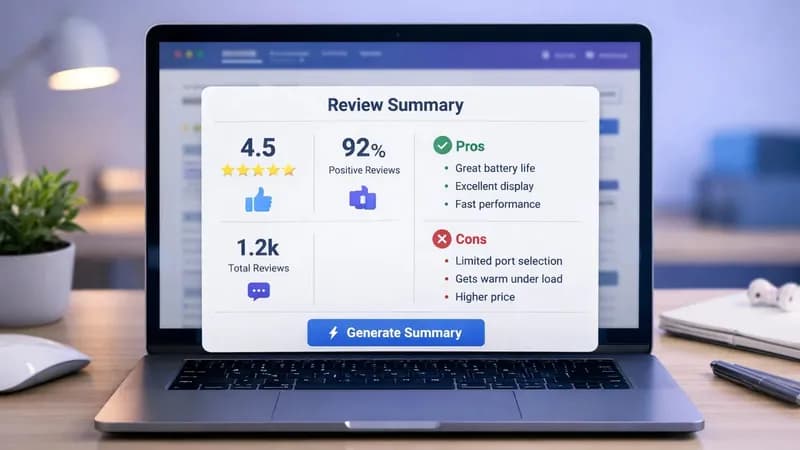
Collecting G2 software reviews by hand is slow, dull work. You open a product page and scroll. You copy a review. You open the next product in a new tab and scroll again. Twenty products in, you have a messy spreadsheet and an hour gone.
I built a G2 scraper so I would stop doing that. It lets you scrape G2 reviews in one click, straight from the page you're already on.
What the script does
It's a browser script: a small piece of code that runs inside your own browser, on a page you already have open. When it loads, it adds a button to the G2 reviews page. Click the button, and it pulls the product reviews into one panel you can scroll through.
What you get back
The panel collects reviews across different products. For each review, it shows:
Field | What it captures |
Rating | The star rating the reviewer gave |
Reviewer | The reviewer's name |
Date | When the review was posted |
Likes | What the reviewer said they liked |
Dislikes | What the reviewer said they disliked |
In short, it turns a long, cluttered page into clean, structured data you can read at a glance. Everything sits in one scrollable view on the page you're already on. No tab switching, no copy-paste, no second window to keep alive.
What it does not do
It's a reader, not a database. This version shows the review data on screen so you can read it fast. It doesn't write a file on its own. Saving to CSV is an add-on, which I cover further down.
It doesn't log in for you. It runs inside whatever session you already have open in your browser. That's the whole point of building it this way.
It doesn't make an API call. There's no scraper API or third-party service involved. The script reads what's already rendered on the page in front of you.
Why I built it as a Tampermonkey userscript
Tampermonkey is a browser extension that runs small scripts on pages you visit. A script written for it is called a userscript. You install the extension once, paste in a script, and it wakes up whenever you land on a page it's written for. The official Tampermonkey extension and documentation lists the supported browsers.
For this job, a userscript beats a hosted scraper API for four reasons:
- No setup. No server, no Python environment, no scheduler to configure.
- It runs in your browser. The page renders exactly the way it renders for you.
- It uses your normal session. No separate login, no cookie handling, no headless browser pretending to be you.
- Results appear on the page. You read them where you already are.
The job here is simple: read a page you're already looking at, pull out structured bits, and show them back. A userscript is the right size of tool for that.
When a job needs scheduling, storage, or an API on the other end, I reach for Python and Playwright instead. I've written more about that split in my posts on scraping and browser automation.
Installing it
- Add the Tampermonkey extension to Chrome, Edge, or Firefox.
- Open the Tampermonkey dashboard and create a new script.
- Paste the script in and save it.
- Visit a G2 product page. The button appears on the page.
Watch it run
The video below shows the whole thing end to end: the button appearing, one click, and the reviews filling the panel. It's worth watching before you install anything, so you know what you're getting.
Using G2 data for competitor research
Speed is the obvious win. The more useful one is this: reading fifty reviews together shows you patterns you'd never spot reading them one at a time.
Laid out side by side, the G2 data shows you:
- What users are most frustrated about
- Which tools are rated poorly, and on what
- Which complaints repeat across products in the same G2 category
Pair that with each product's average rating, review count, and overall sentiment, and you get a quick read on where a market is weak. That's useful if you're doing market research, sizing up competitors, or building a service around a gap you keep seeing.
Using the cons column for lead generation
This is the part I actually use it for.
Look at the "Cons" in reviews. When people complain about repetitive work, manual copying, or exporting data by hand, that's a job someone would pay to have automated. The complaint is the brief.
It also gives you an opening that isn't a cold pitch:
"I noticed people are struggling with this — I can help automate it."
That lands better than a generic message because it starts from something the person already said out loud, in public. As lead generation goes, it's hard to find a warmer starting point.
Where scripts that scrape G2 reviews tend to break
Any script that reads a live web page depends on that page staying the same. Mine is no exception. It's worth knowing where the cracks appear before you rely on it.
The page structure changes
The script finds reviews by looking for specific elements in the page's structure. The MDN introduction to the Document Object Model explains what that means in practice.
When a site redesigns or renames a class, the script stops finding anything and the panel comes back empty. The fix is usually small: update which elements it looks for. But it is a fix, and it will need doing again eventually.
Content that loads as you scroll
A reviews page often loads in batches as you scroll, rather than all at once. If a script runs before that content exists, it reads whatever is on screen and misses the rest.
Tip: scroll the review section fully before clicking, then check that the count looks right.
Taking it further
The version I use is deliberately simple. It's a reasonable starting point for:
- Saving the review data to a file instead of reading it on screen
- Filtering to show only low-rated reviews
- Running the same idea across a whole G2 category for competitive research
- Growing it into a proper scraper with storage behind it
That last step is where a userscript stops being the right tool. A Python build takes over — often starting with import requests for simple pages, or Playwright when the page needs a real browser. The results then land in a Google Sheet, an Airtable base, or a PostgreSQL database rather than a browser panel.
Terms of service and robots.txt
I build the technical side. Whether you're allowed to collect data from a given site is a separate question, and it's yours to answer.
Before running any extraction script, read the site's own terms — G2 publishes its terms of use — and check what its robots.txt file permits. Google's documentation on how robots.txt works is a clear explanation if the format is new to you.
I'll tell you what's technically possible. I won't tell you it's permitted, because that depends on the site, your account, and what you plan to do with the data.
Want one built for you?
Not everyone wants to install an extension and maintain a script. If you have a site you need data out of and no interest in the plumbing, that's the work I do.
I build custom scrapers and automation to order. The browser automation and scraping services I offer cover six areas, from userscripts like this one through to scheduled Python pipelines with the data cleaned and loaded into a database.
If you want to talk about a specific job, get in touch.