How to Export Amazon Products to CSV Fast?
Need a quick Amazon CSV exporter? Export product titles, prices, ratings, and links using this simple web scraping automation tool.
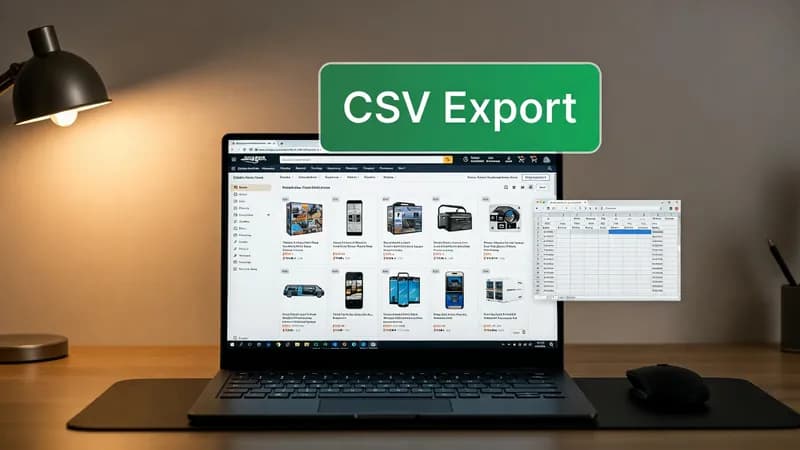
Amazon product research can take hours when you manually copy titles, prices, ratings, and links. This simple Tampermonkey userscript speeds things up by turning Amazon search pages into a quick CSV export tool.
The script adds a clean floating export button directly on Amazon search results. With one click, it collects product titles, prices, ratings, review counts, and URLs, then downloads everything into a CSV file instantly.
It’s useful for sellers, virtual assistants, researchers, and marketers who work with product data extraction, web scraping, or ecommerce research. Instead of wasting time copying rows manually, you can organize Amazon listings for analysis, lead generation, competitor tracking, or bulk product monitoring.
The script also works smoothly with Amazon’s dynamic page loads, making the export process faster and more reliable for daily web automation tasks.
Related keywords: Amazon scraper, CSV exporter, ecommerce scraping, product data collection, browser automation, Tampermonkey script, product research automation, scraping tools, marketplace data extraction.
// ==UserScript==
// @name Amazon Product Exporter Pro
// @namespace http://tampermonkey.net/
// @version 2.0
// @description Export Amazon search results to CSV with a clean UI
// @author You
// @match https://www.amazon.com/*
// @require https://cdnjs.cloudflare.com/ajax/libs/PapaParse/5.4.1/papaparse.min.js
// @grant none
// @run-at document-idle
// ==/UserScript==
(function() {
'use strict';
// Prevent multiple initializations
if (window.amazonExportInitialized) return;
window.amazonExportInitialized = true;
function init() {
if (window.location.href.includes("/s?k=")) {
createExportButton();
}
}
function createExportButton() {
if (document.getElementById("EX_BTN")) return;
const btn = document.createElement('div');
btn.id = "EX_BTN";
btn.innerHTML = `
<div style="font-weight: bold; font-size: 14px;">CSV</div>
<div style="font-size: 10px;">EXPORT</div>
`;
// Modern UI Styling
Object.assign(btn.style, {
background: "#232f3e", // Amazon Dark Blue
color: "white",
cursor: "pointer",
position: "fixed",
right: "0px",
top: "50%",
transform: "translateY(-50%)",
width: "60px",
height: "60px",
display: "flex",
flexDirection: "column",
alignItems: "center",
justifyContent: "center",
zIndex: "9999",
borderTopLeftRadius: "8px",
borderBottomLeftRadius: "8px",
boxShadow: "-2px 2px 10px rgba(0,0,0,0.3)",
transition: "all 0.3s ease",
fontFamily: "Arial, sans-serif"
});
// Hover Effects
btn.onmouseenter = () => btn.style.background = "#f3a847"; // Amazon Orange
btn.onmouseleave = () => btn.style.background = "#232f3e";
btn.onclick = () => runExport();
document.body.appendChild(btn);
}
function runExport() {
const items = document.querySelectorAll('div[data-asin][role="listitem"]');
const extractedData = [];
for (const item of items) {
// Helper to safely get text or return "N/A"
const x = item; // For consistency with previous code
const title = x.querySelector(`div[data-cy="title-recipe"] a.a-link-normal h2`)?.textContent
const price = x.querySelector(`span.a-price span`)?.textContent
const ratings = x.querySelector(`a[aria-label*="ratings"] span`)?.textContent
const reviewCount = x.querySelector(`div[data-cy="reviews-block"] div.a-size-small span`)?.textContent
const link = x.querySelector(`div[data-cy="title-recipe"] a.a-link-normal`)?.href
if (title !== "N/A") {
extractedData.push({
Title: title,
Price: price,
Rating: ratings,
Reviews: reviewCount,
URL: link
});
}
}
if (extractedData.length > 0) {
const csv = Papa.unparse(extractedData);
downloadCSV(csv, `Amazon_Export_${new Date().getTime()}.csv`);
} else {
alert("No products found to export. Make sure you are on a search results page.");
}
}
function downloadCSV(data, filename) {
const blob = new Blob([data], { type: 'text/csv;charset=utf-8;' });
const url = URL.createObjectURL(blob);
const link = document.createElement('a');
link.href = url;
link.setAttribute('download', filename);
document.body.appendChild(link);
link.click();
document.body.removeChild(link);
}
// Listen for SPA navigation (Amazon's internal page loads)
window.addEventListener("urlchange", () => {
setTimeout(init, 2000); // Wait for content to settle
});
// Run on initial load
init();
})();