You right-click an Instagram profile picture and there is no "Save image as". You open the browser's developer tools, dig out something that looks like an image URL, paste it into a new tab, and end up with a blurry 150-pixel thumbnail. Instagram profile photo download is one of those jobs that feels like it should take five seconds and instead eats fifteen minutes. This article hands you a small script that puts a download button on the corner of any profile picture, grabs the largest version Instagram is serving, and names the file after the account. Copy it, install it, move on.
What the Instagram profile photo download script does
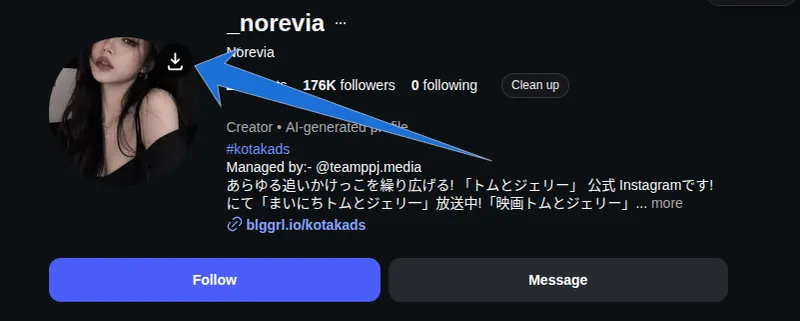
It adds one button. Hover over a profile picture anywhere on Instagram and a small circular download icon appears in the top-right corner of that image; click it and the file lands in your downloads folder.
The script is a userscript — a single file of JavaScript that a browser extension injects into a specific site, the way a bookmarklet would but permanently and automatically. It runs only on instagram.com, touches nothing else you browse, and sends no data anywhere. There is no account, no upload, no paste-the-username box.
Three things happen the moment you click:
- It reads Instagram's
srcsetattribute — the list of image sizes the site offers your screen — and picks the widest one rather than the one your monitor was given. - It requests that file from Instagram's image servers (
cdninstagram.comandfbcdn.net) through the extension, which can reach a CDN that a normal page script is blocked from reading. - It saves the result as
instagram_username_1736459201.jpg, so a folder of twenty downloads is still readable a month later.
Install the Tampermonkey userscript in four steps
Installing takes about four minutes, and none of it is coding. You install one extension, paste one file, and save.
- Add the official Tampermonkey extension to Chrome, Edge, Firefox, or Brave. Violentmonkey, an open-source alternative, runs the same file if you prefer it.
- Click the extension icon, choose Create a new script. A code editor opens with a template in it.
- Select everything in that editor, delete it, and paste the full script — grab the copy here:
[SCRIPT LINK]. - Press Ctrl+S (Cmd+S on Mac). Reload any Instagram profile.
The top of the file is a settings block, and it is the only part worth understanding:
javascript
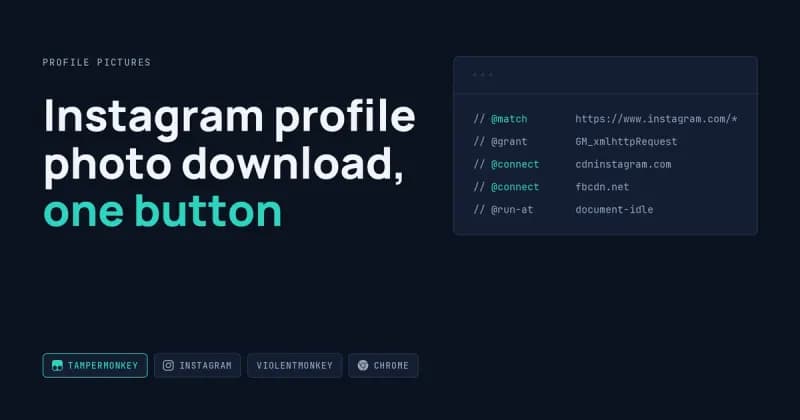
// @match        https://www.instagram.com/*
// @grant        GM_xmlhttpRequest
// @connect      cdninstagram.com
// @connect      fbcdn.net
// @run-at       document-idle
@match limits the script to Instagram. @connect lists the only servers it is permitted to talk to. @run-at document-idle tells it to wait until the page has finished rendering, which matters because Instagram builds its profile header after the initial HTML arrives.
What you actually get in the saved file
You get the largest image Instagram publishes for that account — usually 320 or 640 pixels wide. A profile picture downloader cannot produce a resolution the platform never sent to your browser.
What you asked for | What Instagram serves | What the script saves |
|---|---|---|
Profile picture, current user | 150 / 320 / 640px in | The 640px version |
Profile picture, small avatar in a comment | 44px only | Skipped — below the 40px floor it would still be tiny |
Original upload from the account owner | Not published | Not obtainable |
That last row is the honest limit. No tool can recover an original file that the platform does not serve, and anything advertising "HD" or "4K" profile pictures is upscaling with a filter.
When it breaks, and what to do about it
Something on this list will happen to you eventually, because Instagram is a moving target. Here are the four failure modes I have actually hit, and the fix for each.
The button never appears
The script finds images by their alt text — it looks for "profile picture". If your Instagram interface is set to German or Spanish, the alt text reads "Profilbild" or "foto de perfil" instead, and the match fails. The script ships with those two fallbacks in the SELECTOR list; add your own locale's wording as another line if the button stays hidden.
The icon turns red with "HTTP 403"
That is Instagram's CDN refusing the request, usually because the signed URL in srcset has expired. Reload the profile and click again within a minute or so. If the red cross persists across reloads, the extension has lost its @connect permission — reinstall the script and approve the cross-domain prompt when Tampermonkey shows it.
You clicked and nothing downloaded
Chrome silently blocks automatic downloads on sites where you have previously denied them. Open the site settings from the padlock in the address bar and set Automatic downloads to Allow. This is a browser setting, not a script bug.
The button drifts away from the image
Instagram is a single-page app: navigating from one profile to another swaps the image without reloading anything. The script watches for that with a MutationObserver and hides the button when its image disappears from the document. If a layout change ever outruns that check, a hard refresh resets it.
One thing the script deliberately does not do: it will not batch. There is no "download 500 profile pictures" mode, because that pattern is what gets accounts rate-limited and IP-blocked, and because Instagram's Terms of Use govern what you may collect. Whether a given collection job fits those terms is your call to make, not mine.
Where a userscript stops being enough
A userscript is the right tool when a human is already looking at the screen. The moment you need something to run without you, it is the wrong tool.
I build the heavier version of this for clients most weeks: a script that reads a list of accounts from a Google Sheet, collects the images and the public profile fields, writes the rows to PostgreSQL or a CSV, and runs on a schedule. That work is Python and Playwright, not a browser button. The full range of browser automation and pipeline work I take on sits under the scraping and automation services I offer, and the technical detail in the userscript above — srcset parsing, CORS-restricted CDNs, single-page-app timing — is the same detail that decides whether a scheduled scraper survives its first month.
If you are curious how the size list works under the hood, MDN's reference on srcset and responsive images explains it better than I can in a paragraph, and MDN's explanation of cross-origin resource sharing covers why a plain fetch would fail where GM_xmlhttpRequest succeeds.
Frequently Asked Questions
Does this work on private accounts?
Only for profiles you can already see. The script reads the image that your browser has loaded, so if the account is private and you are not an approved follower, Instagram never sends the picture and there is nothing to save. It grants no access you did not already have.
Will Instagram know I downloaded the picture?
The account owner gets no notification. The request looks like any other image load from your browser, because that is what it is. Instagram's own server logs are outside anyone's visibility, so I will not claim the action is invisible — only that no alert reaches the profile owner.
Can it download stories, reels, or post images too?
Not as written. The selectors target profile pictures specifically, and stories are served through a different player with separate URL handling. Extending it to posts is a small job; extending it to stories is a larger one, because the media URLs are short-lived and tied to the session.
Do I need Tampermonkey, or can this be a Chrome extension?
Both work. A userscript is faster to install and easier to edit, which is why I wrote it this way. A packaged Chrome extension makes sense when you want an options screen, a toolbar icon, or something you can hand to a team of ten without asking each person to paste code.
Is the script safe to paste?
Read the @connect lines before you save it — they are the whole security story. The file may contact Instagram's two image domains and nothing else, and it has no network permission beyond that. Every userscript you install deserves the same thirty-second check.
Want the scheduled version instead of the button?
If you need profile images and public data for a list of accounts, pulled on a schedule and delivered as a CSV, Google Sheet, or database table, that is a build rather than a button. Tell me the accounts, the fields, and the delivery format, and get a quote for a custom scraper build.