You have one post to make: a caption, two images, and 30 Facebook groups that all need it. So you copy the caption, click the file input, dig through your folders, pick the images, wait for the upload, publish, then start again. By group twelve you have lost track of which ones you already did. A manual post on Facebook is not hard, it is just repeated 30 times with no memory between repetitions. This article shows how I fix that with a Tampermonkey userscript that holds your task list, fills each field, and remembers where you stopped.
Why every manual post on Facebook takes longer than it should
The slow part is not the typing. It is the context switching between your file explorer, your caption document, and the browser tab, repeated once per group.
Facebook group posting has no batch mode. Each group has its own composer, its own upload dialog, and its own confirmation. Even if the content is identical, the browser treats all 30 as unrelated events, and so does your memory.
There are three costs stacked here. The file picker round trip is the worst: opening a native dialog, navigating folders, and selecting the right two images out of forty. Then the caption paste, which usually loses formatting. Then the tracking problem, where you either keep a paper list or you post to the same group twice.
A userscript removes the first two entirely and gives the third a place to live. It sits in the same family as the rest of the browser automation services I offer, just scoped down to a single repetitive task.
What a Tampermonkey task controller actually does
Tampermonkey is a browser extension that runs your own JavaScript on pages you choose. A task controller is a small panel that the script draws on top of Facebook, holding a queue of posts you loaded earlier.
Think of it as a bucket. You fill it once with your captions and media references, then work through it one group at a time without leaving the tab. The script writes into the page; you stay the one who clicks publish.
The four buttons
Button | What it does |
|---|---|
Put Data | Fills the composer text and attaches the media for the current task |
Mark Done | Records the task as complete and advances the queue |
Skip | Moves past a group that is not relevant, without marking it posted |
Refresh | Pulls the latest task list from your source file |
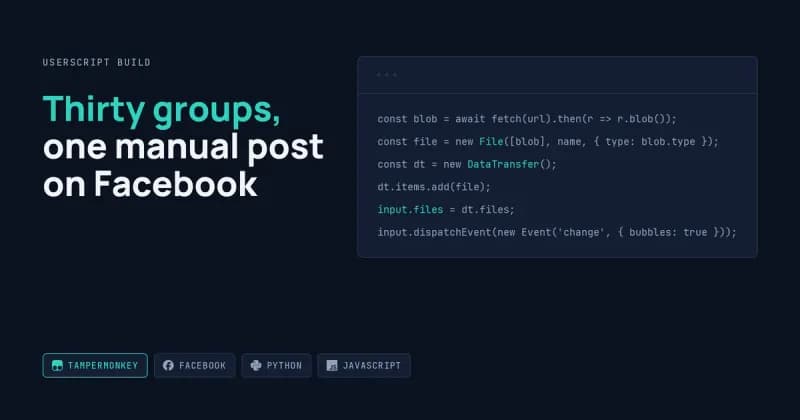
The core of the script is two small functions. One writes text into the composer so the page's framework registers the change, the other injects a real file into the upload input:
// Fill the composer so the page's own framework sees the input
function setText(el, value) {
  el.focus();
  document.execCommand('insertText', false, value);
}

// Inject a real File object into a file input
async function attachFile(input, url, name) {
  const blob = await fetch(url).then(r => r.blob());
  const file = new File([blob], name, { type: blob.type });
  const dt = new DataTransfer();
  dt.items.add(file);
  input.files = dt.files;
  input.dispatchEvent(new Event('change', { bubbles: true }));
}
The Tampermonkey extension homepage covers installation for Chrome, Firefox, and Edge. The file injection technique relies on the MDN reference for the DataTransfer interface.
Watch the build
I recorded the whole thing, from installing the extension to the panel running live on a real group:
If you would rather read the reasoning than watch the build, the rest of this post covers the parts the video moves through quickly.
Why I skip the Graph API for this job
The official route exists, and for scheduled page content it is the correct one. For posting to groups you belong to, it is usually more work than it saves.
The Facebook Graph API requires app review, permission grants, and in most group scenarios an admin relationship you may not have. Meta's Graph API overview documentation lays out the permission model. Getting approved takes days, and the permissions that cover group publishing have been narrowed repeatedly.
A userscript sidesteps all of it because it does nothing you could not do by hand. It types where you would type and clicks where you would click. That is also its limit: it only works while you are sitting there, which is the trade-off I walk clients through when explaining how I approach automation projects.
Where this breaks, and what to do about it
Three things go wrong in practice, and the first one catches almost everyone.
You cannot set a file path from a script
This is the big one. Browsers do not let JavaScript put C:\Users\you\photo.jpg into a file input, because that would let any site read your disk. Setting input.value fails silently.
The workaround is to serve your media folder over a small local HTTP server, then fetch each file as a blob and inject it with DataTransfer as shown above. One command gets you there:
python -m http.server 8000 --directory ./media
Your task list then references http://localhost:8000/photo-1.jpg instead of a Windows path. Add @connect localhost to your userscript header so Tampermonkey permits the request.
Selectors stop matching
Facebook ships class names that look like x1i10hfl x1qjc9v5. Those rotate. Any script anchored to them dies within weeks.
Anchor to structure instead: input[type="file"][accept*="image"], or the composer's role="textbox" attribute. These survive redesigns far better because they carry meaning rather than styling.
State disappears on reload
Group navigation reloads the page, which wipes your in-memory queue. Store the index and the completed list in localStorage, as described in the MDN guide to localStorage, and read it back when the panel initialises.
One more thing worth saying plainly: keep a human review step before publish, and pace yourself. Whether this pattern fits Facebook's terms of service is your call to make, not mine.
Frequently Asked Questions
Can a userscript upload a file from my computer automatically?
Not from a raw file path. Browsers block scripts from reading arbitrary local paths for security reasons. The workaround is to serve your media folder over a small local HTTP server, then have the script fetch each file and inject it as a real File object into the upload input.
Do I need to know JavaScript to use this?
To run a finished script, no. You install Tampermonkey, paste the script, and edit a task list in JSON or CSV. To adapt it when a selector breaks, some JavaScript helps, which is the main reason people hand this part off.
Will this get my account restricted?
It can, if you post faster than a person plausibly would. The script fills fields; it does not hide that you are the one posting. Keep the review step, space out submissions, and treat the terms of service as your own decision to evaluate.
Does it remember where I left off after closing the browser?
Yes, if you store the queue position in localStorage rather than a variable. The panel reads that value when it loads, so reopening the tab tomorrow puts you back on the exact group you stopped at, with completed entries still marked.
If this kind of breakdown is useful, there are more posts on scraping and browser automation covering the same ground for other sites.
Want this built for your workflow
If you run the same caption and media across dozens of communities, I can build this as a userscript shaped to your fields and your task list. Send me the workflow through my intake page for custom automation builds and I will scope it.