Copying Amazon reviews by hand is slow work. Fifty reviews spread across five pages is about twenty minutes of selecting, pasting, and repairing line breaks, and at the end you have a column of text that no spreadsheet can sort or filter.
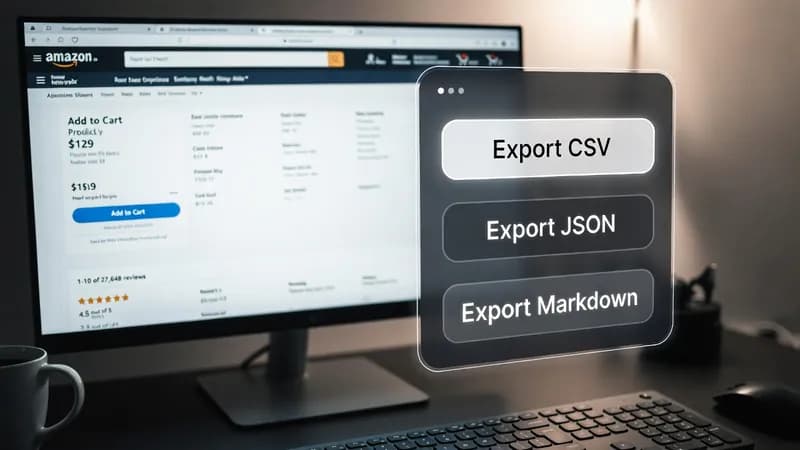
So I built an Amazon review export tool that runs inside the browser you already have open. It is a userscript — a small piece of JavaScript that a browser extension injects into a page after the page finishes loading. Mine adds a floating panel to Amazon review pages, and one click sends every review currently on screen to JSON, CSV, Markdown, or your clipboard. I call it Amazon Review Exporter Pro.
Show Image
What the Amazon review export tool pulls from the page
The script reads what Amazon has already rendered in the browser. Nothing is guessed and nothing is fetched from a hidden endpoint. For each review it collects:
- Reviewer name — the display name on the profile, not the account email.
- Star rating — converted to a number, so 4.0 rather than the phrase "4.0 out of 5 stars".
- Review title and body — the full text, with line breaks flattened so a CSV cell does not split.
- Verified purchase status — a true or false value, taken from whether Amazon shows the verified badge.
- Helpful votes — parsed to a plain integer, so "1,204 people found this helpful" becomes 1204.
- Product variant — the size, colour or configuration the reviewer actually bought.
- Review images — the URLs of any photos attached to the review.
- Review date — as Amazon displays it.
Verified status and variant are the two fields people usually forget to capture, and they are the two that matter most when you are comparing complaints across sizes or trying to weight genuine buyers more heavily.
The four export formats
CSV for spreadsheets
CSV means comma-separated values: a plain text table that Excel, Numbers, or Google Sheets opens directly. Every field is quoted and any internal quote marks are doubled, which is the part hand-rolled exports usually get wrong. A review containing a comma will not shift your columns.
JSON for scripts
JSON keeps the nested structure intact, which matters because the images field is a list rather than a single value. If the reviews are heading into a Python or Node script, take JSON. Flattening to CSV loses the image array.
Markdown and clipboard for notes
Markdown gives you a readable document with each review as a section — useful when you want to paste findings into a report or a shared doc rather than analyse them. The clipboard button copies JSON straight to your clipboard without producing a file, which is the fastest route into a language model or a scratch editor.
Installing the Tampermonkey userscript
Tampermonkey is the browser extension that runs userscripts. It is available for Chrome, Firefox, Edge, and Safari from the official Tampermonkey site.
- Install the Tampermonkey extension in your browser.
- Open the Tampermonkey dashboard and choose to create a new script.
- Delete the placeholder template and paste the code.
- Save with Ctrl+S or Cmd+S.
- Open any Amazon product review page. The panel appears in the bottom right corner.
One thing to understand: the script exports the current page only. Amazon paginates reviews, so ten pages means ten exports. That is deliberate — a userscript that starts clicking through pagination on its own is a different kind of tool with a different set of risks, and it is not what this one is.
What I use this Amazon review scraper for
The same export feeds several jobs, and the format you choose usually follows the job:
- Product research — pull the one and two star reviews for a product you are considering selling, and read the complaints as a list rather than a scroll.
- Competitor analysis — export a rival's reviews and sort by helpful votes to find the objection their buyers raise most often.
- Sentiment analysis — JSON into a Python script, then run the review bodies through a classifier. The verified flag lets you weight real purchases differently.
- E-commerce datasets — combine exports across a category to build a labelled set of review text and star ratings.
- Automation projects — the export becomes the input for something larger, whether that is a scheduled report or a dashboard.
That last one is where most people find the ceiling. A userscript is something you press. It cannot run at 6am on a Tuesday while you are asleep.
Where it breaks, and what to check first
The panel says "No reviews found on this page" for one of three reasons.
Amazon changed its markup. The script finds reviews using CSS selectors — patterns that describe where an element sits in a page's structure, covered properly in the MDN reference on CSS selectors. Amazon revises its layout regularly, and when the data-hook attributes change, the selectors stop matching. Fixing this means updating one line, not rewriting the script.
You are on the wrong page. Product pages render a preview block that sometimes uses different markup than the full review listing.
Amazon is running a layout test. Amazon serves different page versions to different accounts and regions, so a script that works on your machine may return nothing on a colleague's.
On the legal side: whether you may scrape a given page is a question about Amazon's Conditions of Use and the robots.txt specification, and it is your call as the site's visitor, not mine. I build the technical piece. Reading the terms that apply to your account and your use is yours.
When a userscript is not enough
This tool covers a specific case well — a person, at a keyboard, who wants reviews out of a page in front of them. It stops short of scheduling, pagination, proxy handling, and storing results anywhere but a downloads folder.
When clients need those, I move the job to Python with Playwright, which drives a real browser under script control, and drop the results into PostgreSQL, Google Sheets, or Airtable so the data lands where the team already works. That, plus scheduling and API integration, is the automation services I offer.
If you need the same thing this script does but for a site that is not Amazon, or you need it running on a schedule without you pressing a button, that is a custom scraper built for your site. And I quote after I have looked at the target page — some are a two-hour job and some are not worth building at all, and I would rather tell you which before you pay.
For more on how I approach these builds, my other scraping and automation write-ups cover the same ground for other sites, and there is a short overview of what I do at DatafetchPro.