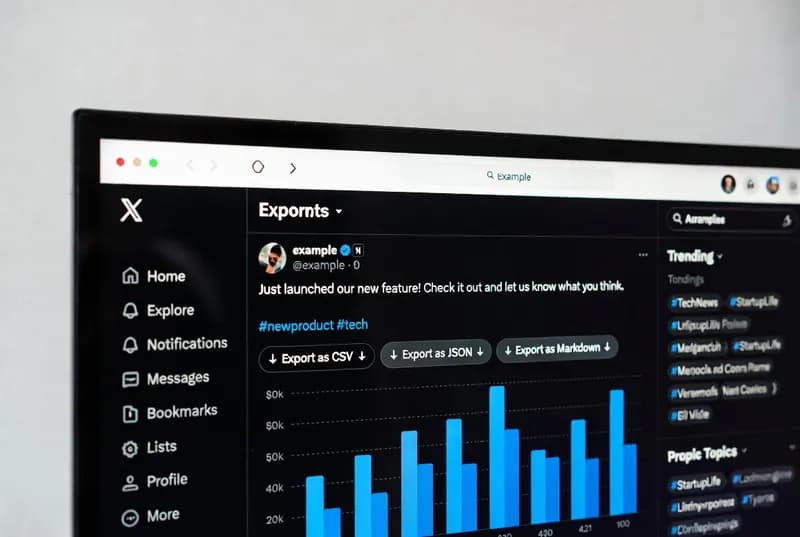
If you have ever spent an hour copying replies off a single X post into a spreadsheet, you know how that falls apart. You scroll, you copy, you paste, you lose your place, the page reloads, and now you are three comments behind with no idea which ones you already grabbed. It is tedious, it is easy to get wrong, and it eats the time you wanted to spend on the analysis.
So I built a userscript that runs in the browser and lets you export X comments from a post in a single pass. Below is what it pulls, how to run it, where it struggles, and what I build instead when a script in the browser is not enough.
Why copying replies by hand stops working
Manual collection looks fine on a post with twenty replies. It stops working somewhere between fifty and a hundred.
X loads replies lazily, which means the page only fetches the next batch once you scroll far enough down. Threads are nested, so you are also clicking through "Show more replies" and dropping into sub-conversations, then trying to find your way back to where you were in the main thread. Half an hour in, you are copying duplicates and skipping whole branches without noticing.
The part nobody accounts for
The real cost is not the time. It is that a hand-collected set is a sample of whatever caught your eye while scrolling, and what catches your eye is the loud stuff — the angriest reply, the funniest one, the one with a picture. If you are trying to describe what a conversation actually looked like, that sample works against you.
An automated pass does not choose. It takes every reply it can reach, in the same order, with the same fields, every time. That consistency is the reason to automate, more than the speed is.
How I export X comments with a Tampermonkey userscript
A userscript is a small piece of JavaScript that runs inside your own browser on a page you already have open. It is not a separate app and it does not log in as you or touch anything you are not already looking at. To run one you need a userscript manager, and the one I target is the Tampermonkey browser extension, which is available for Chrome, Edge, and Firefox.
The flow is short:
- Install Tampermonkey from the extension store for your browser.
- Install the script (the link is at the end of this article).
- Open the X post whose replies you want.
- Click the Tampermonkey icon and run the export from its menu.
- Choose JSON, CSV, or Markdown, and the file downloads.
While it runs, the script scrolls the thread the way you would, expands the "Show more replies" controls it finds, and reads each reply out of the page as it appears. It watches for new nodes rather than guessing at a fixed wait time, using the browser's own MutationObserver API documented by MDN. When nothing new has loaded for a while, it stops and writes the file.
It only sees what your browser can see, which means public posts. It does not reach protected accounts or private conversations. Whether a given export is consistent with X's terms of service and its robots.txt is a call for you to make before you run anything — I can tell you how a scraper works, but the rules of a site you are pulling from are your decision. The robots.txt specification at robotstxt.org is a reasonable place to start reading if that is unfamiliar.
Choosing between JSON, CSV, and Markdown
All three exports carry the same fields. What changes is the shape, and the shape decides how much work you do next.
JSON keeps the thread structure
JSON is nested, so a reply to a reply stays underneath its parent. If you care about who was answering whom — moderation records, argument mapping, anything where the conversation is the point — this is the one to take. It is also the format to pick if the file is going into another script rather than in front of a person.
CSV flattens everything into rows
CSV gives you one comment per row, opens directly in Excel or Google Sheets, and sorts and filters without any setup. The trade is that threading disappears; a reply and a reply-to-a-reply become two ordinary rows. For sentiment tagging or counting themes, that loss costs you nothing. Comment text containing commas and line breaks is quoted and escaped per RFC 4180, the CSV format specification, so a spreadsheet will not mangle it on the way in.
Markdown for reports and notes
Markdown lands cleanly in a text editor, a Notion-style workspace, or a documentation page. It is the format to pick when the destination is a document somebody reads rather than a file something processes.
What each exported comment contains
Every record holds the handle, the display name shown at the time of capture, the full reply text, the timestamp, the like count, the reply count, and the retweet or quote count where one applies.
The engagement numbers matter more than they first appear. A comment sitting at 400 likes is a different piece of evidence from the same sentence at 2 likes. When you are ranking which voices carried a discussion, or picking which replies to quote in a report, those counts are what let you defend the choice.
Who asks me for this
The people who bring me this job are more varied than you would guess. Content creators want to know what an audience is saying rather than only how many of them tapped a heart. Marketers and social media managers need to audit a campaign or show a client something more solid than a screenshot. Researchers studying public discourse, misinformation, or consumer behaviour need volumes of real text that no one is going to gather by hand. Journalists covering a viral moment want a timestamped archive they can quote accurately. Community managers dealing with a moderation problem need a record of what was said before it disappears.
None of them care how the export works. They care that the file is complete and opens.
A worked example
Say you are researching public reaction to a product announcement, and the post has three thousand replies. You want a qualitative read on the themes.
By hand, that is hours of work and you will still only capture a fraction of it. With the script, you open the post, run the export, wait while it works through the thread, and come away with a CSV. From there it is ordinary spreadsheet work: filter by like count, tag themes in a new column, pull the top replies into your write-up.
What breaks, and what I do about it
I would rather tell you this in advance than have you find it on a deadline.
X changes its markup
The script reads replies out of the page structure, and X redesigns that structure whenever it likes. When it does, the script returns empty or partial results until the selectors are updated. This is normal for anything that reads a site's front end, and it is the single most common reason someone messages me about a script that worked last month.
Long threads stall or throttle
A post with fifty replies exports in seconds. A post with several thousand nested replies takes real time, and X will slow or stop serving new batches if you pull too hard. For large jobs, export in batches and space them out rather than trying to take a whole thread in one run.
The browser has to stay open
A userscript only runs while you are sitting there with the tab open. Nothing about it is scheduled, and nothing about it survives you closing the laptop.
Where the data goes after the export
A CSV on your desktop is a starting point, not a finished job. Most of the follow-up work I get asked for is what happens next: deduplicating handles, splitting timestamps into usable date columns, pushing rows into Google Sheets or Airtable so a team can work on them together, or loading everything into SQLite or PostgreSQL when the collection is going to grow month after month. That side of things is part of the browser automation and data work I take on.
When a userscript is not enough
The script will export X comments from one public post at a time, run by you, in a browser you are watching. That covers a lot of jobs, and if it covers yours, take it and go.
It stops covering the job when you need five hundred posts instead of one, when the same export has to run every morning at six without anyone present, when the output needs to land in a database rather than a downloads folder, or when the selectors break and you would rather not be the person fixing them. That is where I move the work into Python and Playwright, which drives a real browser from a script on a schedule and keeps running when you are not there.
If that is closer to your situation, tell me what you need scraped and I will tell you whether it is a script or a build, and roughly what it takes. I sell through Fiverr, and I would rather turn down a job than sell you a build when a free script would have done it. More write-ups on scraping and automation are here if you want to see how I approach other sites first, and there is a short page on who I am and the tools I build with.
The script is below. Install Tampermonkey, install the script, open a post, and run it.